Recognise an expired session behind a familiar page
A Zora page can remain open after its account session expires. The visible game or cashier screen may therefore look familiar while a new action requires sign-in. Treat an authentication prompt as a request to re-establish access, not evidence that the account or its balance has been deleted.
A page can retain its last visible content while the account requires authentication again. That old content may include a balance, game picture or form that no longer authorises a new action. Read the prompt before treating the situation as a technical failure. The practical question is whether access needs renewal, whether a particular provider window expired, or whether another message explains the state. These possibilities should be separated because refreshing the appearance alone does not establish that the account session is active.
Locate the legitimate sign-in route
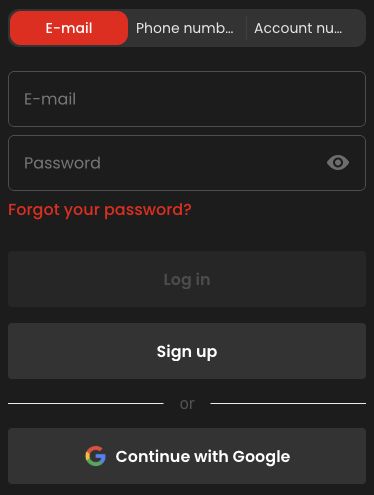
Read the message and identify whether it comes from the account page or a game window. Close an obsolete prompt and return through the verified site navigation when necessary. Do not enter credentials into an unexpected page whose address cannot be checked. The appearance of a casino logo alone is not enough to establish the destination.
If the prompt’s origin is unclear, return through the site’s verified address and ordinary navigation rather than typing credentials into an unexpected overlay. A familiar logo is not enough to identify a destination. Check the actual domain and the account route you intended. When a game has its own expired-session message, restoring the operator login may still require reopening that game through the catalogue. Do not assume that every old provider window becomes valid automatically after signing in elsewhere in the same browser.
Recover access before checking the earlier transaction
If the timeout happened during a submitted action, separate access recovery from transaction checking. Signing in again does not tell you whether a deposit, stake or withdrawal was accepted earlier. After access returns, inspect the corresponding history before repeating that action. This avoids turning a simple session expiry into a duplicate request.
An expired session during a payment or stake does not tell you the outcome of that earlier action. First restore legitimate access, then inspect the matching transaction or round history. Use the amount, time and reference to identify the original request before doing anything again. If the record is absent or ambiguous, ask about that attempt. Repeating a payment immediately after login can create another transaction, while the original may still be pending or already accepted outside the stale page.
Use the appropriate credential-recovery path
A password manager can help select the saved credentials for the correct domain, but inspect the selected account rather than accepting a similar-looking entry automatically. Repeated guessing is not a useful recovery method. Use the operator's available reset process if the password is genuinely forgotten, and never send a password to support.
Inspect which saved account a password manager offers for the verified domain. Similar names or multiple saved entries can lead to choosing an unintended credential. If the password is forgotten, use the operator’s visible recovery flow and follow its confirmation instructions. Keep reset messages and one-time codes private. Support may help explain the process but should not receive the password itself. Repeated guessing can make the situation less clear; identify whether the problem is a wrong credential, an expired link or a separate account message.
Describe recurring expiry without assuming a fixed duration
For recurring timeouts, record the approximate idle period, browser and whether the issue affects the account or one particular game. Do not promise yourself a fixed session duration based on a previous visit. Security settings, provider sessions and site behaviour can differ, so the visible prompt and account record should guide the next step.
For repeated expiry, record the page, approximate idle time and whether the entire account or only one game asks for renewal. Also note a recent switch between apps, networks or devices. These observations can help distinguish a session issue from a provider launch problem. They do not establish a universal timeout duration or justify disabling security controls. The useful next step follows the actual prompt and history. A previous visit that remained open longer is context, not a promise that every later session will behave identically.