Classify the message before changing anything
A failed Zora sign-in can mean an incorrect credential, an expired recovery link, a page problem or an account restriction. These are not solved by the same action. Start with the exact message and the verified domain instead of repeatedly changing passwords or creating another account.
Start by separating an explicit credential error, a recovery-link message, a restricted-account notice and a form that does not respond. They can look similar on a small screen but require different next steps. Copy the exact wording without including the password. Confirm the domain and whether the message appears in the operator’s account page or only inside a game. A provider window asking for renewal does not necessarily mean the account password is wrong, and changing it may not address that particular symptom.
Check the identifier and autofill selection
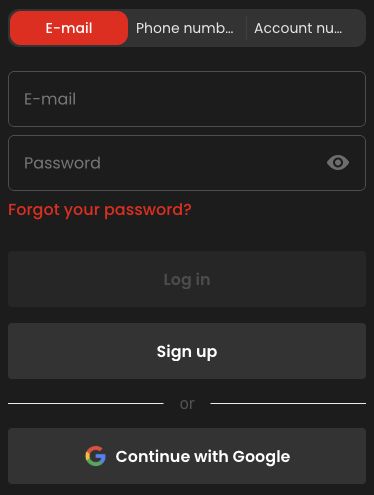
For a credential error, check the selected account, keyboard language and unintended spaces. A phone's automatic filling can insert an old value or the credentials for another saved entry. Inspect the identifier carefully without exposing the password on a shared screen. If you genuinely cannot recall the password, use the site's recovery route once and follow its current instructions.
Phone keyboards and autofill can create small but consequential differences in the account identifier. Check the selected saved entry, keyboard layout and accidental spaces. Do not expose the password on a shared display just to inspect it. If several saved entries exist, identify which belongs to the intended account rather than trying them all quickly. A genuinely forgotten password should lead to the site’s recovery flow. Creating another registration is not a troubleshooting step for an existing account and does not recover its records.
Use recovery messages only for your own request
For a recovery message, confirm that the request came from your own action and that you are using the latest relevant link. A request to send a password or one-time code to a person is not the same as the site's sign-in process. Keep those secrets out of chat messages, screenshots and support tickets.
Use a recovery message that corresponds to the request you initiated, and follow the current on-screen instructions about the link. An older message may no longer be the relevant one after a later request. Do not send passwords or one-time codes to a person, and keep them out of screenshots. If the message itself is unexpected, verify access through the site’s known route rather than following an unfamiliar destination merely because it uses the casino’s name or logo.
Treat account restrictions as account questions
If the message concerns a blocked or restricted account, do not try a new account, a different identity or a location workaround. Contact support through the available official channel and ask what review or information is required. A technical loading guide cannot resolve an account decision that the operator must explain.
A restriction message should be read as a request for an account explanation, not an invitation to bypass it. Contact the official support route and ask which review or information is needed. Changing identity, opening another account or altering location does not resolve the original account decision. Keep any verification documents inside the designated process. A useful note records the restriction wording and time while excluding unnecessary personal details, so the conversation can focus on the actual status instead of generic browser fixes.
Test a page fault one variable at a time
For a blank or unresponsive login form, record the browser and error before testing a normal reload or another supported browser. Change one thing at a time so that the result is informative. Once access returns, check unfamiliar activity before resuming a session rather than assuming every earlier failed attempt was harmless.
For a blank or frozen form, preserve the error and then change one ordinary variable, such as returning through the site navigation or trying a normal reload when no transaction is unresolved. Record whether the symptom changed. A second browser can help distinguish a local presentation issue, but it does not prove that an account restriction disappeared. Once access returns, inspect relevant history and unfamiliar activity before resuming. Troubleshooting is complete when the actual cause or state is understandable, not simply when one page finally opens.