Choose orientation by the controls you need
Turning a phone changes the space available to a game, but it does not guarantee a better layout. In Zora, the casino lobby and an individual provider's game can respond differently to rotation. Evaluate the actual controls on screen rather than assuming that every title follows the same orientation rules.
The useful orientation is the one that exposes the information needed for the next decision. A slot may prioritise reels, while a live table needs room for positions and a game show may separate its video from the betting area. The lobby itself can use a different layout from the game. Treat rotation as a presentation choice, not as a fix that every title must support. First identify the stake, result area and exit control in the current view.
Compare information density rather than animation size
Portrait view can make account navigation and reading easier, while a wider view may give a table or paytable more room. Check whether the stake selector, balance, rules and return control remain visible. A larger animation is not an improvement if it pushes the total stake or confirmation outside the readable area.
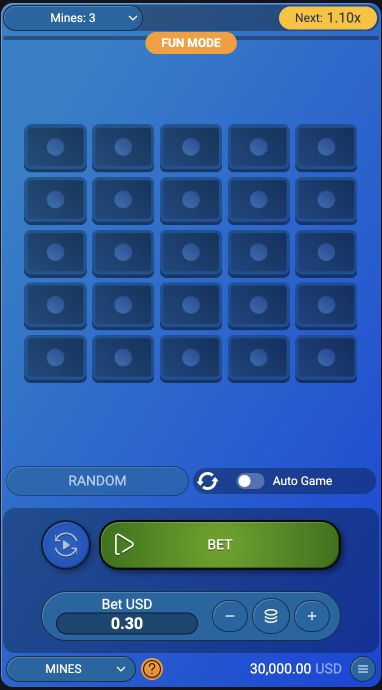
Compare portrait and landscape with no pending action. Ask whether the total stake is readable, whether additional positions remain visible and whether the information panel can be closed without touching a betting control. A wider image can improve a paytable while reducing vertical room for a confirmation. If the game opens a separate full-screen view, inspect how to leave that view before using it. Screen-filling video is not the same as a layout in which all account and game controls remain available.
Change the view between confirmed actions
Rotate before starting a round whenever possible. If a wager has already been submitted, wait for its status before changing the view or repeatedly tapping a control. A shifted button can be mistaken for the previous button's position. When rotation appears blocked, inspect the phone's orientation setting rather than assuming the game has frozen.
After an action is submitted, a layout change should not become a reason to submit it again. Wait for the game’s status or inspect the history if the result is unclear. Rotation can move the location of controls, so a second tap at the old position may hit a different function. If the phone’s orientation lock is active, changing the device angle may have no visible effect. Distinguish that device setting from a game that intentionally supports only one layout.
Account for the keyboard and browser chrome
The browser toolbar and on-screen keyboard also take space. Close the keyboard after completing a field and look again at the full form before confirming. For a partly hidden control, try the alternative orientation or return to the ordinary page view. Do not use an unreadable layout to approve a payment or a higher stake.
The on-screen keyboard can cover the lower part of a form even when the page itself is responsive. Finish the field, dismiss the keyboard using the device’s normal control and inspect the entire summary again. A browser toolbar or open menu can also reduce the usable area. Do not shrink text until the amount becomes unreadable merely to reveal a button. The priority is a clear view of both the value being confirmed and the control that confirms it.
Record the exact clipping or overlap
A useful fault report includes the device orientation, screen size if known and the exact game title. A screenshot of the clipped control gives support more context than a general statement that the mobile version is broken. Keep account identifiers out of any public image.
A useful report names the orientation, the affected control and whether the issue appears in the lobby or only inside one game. For example, stake summary hidden behind the keyboard is more specific than mobile layout bad. Include the browser and device model, plus the step that opens the problematic panel. A cropped screenshot should preserve enough context to identify the panel while excluding personal information. This evidence helps distinguish a reproducible layout fault from an account or settlement issue that rotation cannot solve.