Begin with a readable browser session
The browser is the clearest starting point for viewing Zora on a phone. It lets you inspect the casino categories, sports section and promotions before deciding what to open. This guide describes that access route; it does not claim that a native application has been installed or tested on every handset.
Think of the first visit as three layers: the website, the account area and the game window. The website helps you choose a category; the account area handles personal actions; an individual game can have its own controls and loading state. If one layer fails, the others may still be working. Keeping them distinct makes navigation easier and prevents a blank game panel from being mistaken for a lost account. Begin on a stable connection with enough screen space to read the controls.
Identify the site and the navigation controls
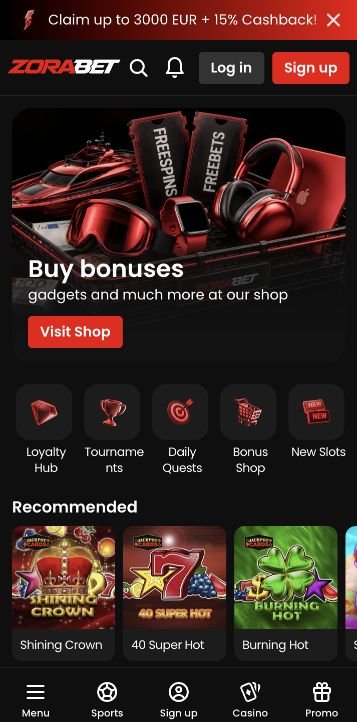
Open the correct Zora address directly and check the domain before entering account details. Select a language you understand, then locate the account controls and the main product navigation. A narrow layout can place navigation near the bottom while a desktop layout has room for a wider menu. The position of a control can change without changing the account action it performs.
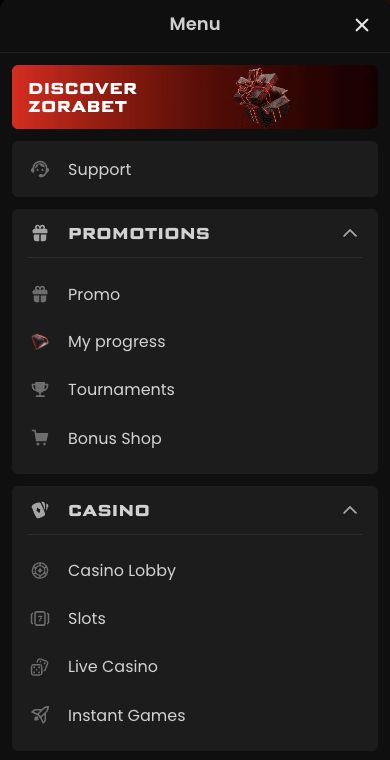
Before moving further, locate four destinations: the main lobby, promotions, account access and help. You do not need to activate anything to understand those routes. Zora includes slots, instant games, live casino and sports, so choosing the intended category first reduces unnecessary scrolling. If the menu covers the page, close it deliberately and confirm which section remains open. A back arrow inside a game and the browser’s back button can lead to different places; identify their purpose before relying on either.
Inspect a game before entering its session
Before opening a game, read the catalogue card and any availability message. A visible title does not prove that every country, account or device can launch it. If the page asks you to sign in, use the existing account rather than treating the phone as a reason to register again. Device changes do not create a new welcome-bonus entitlement.
A catalogue card is an entry point, while the launched game supplies its own rules, available denomination and current controls. Read any account or availability message before selecting a mode. A login prompt does not prove that a game is broken, and a title visible in a public catalogue does not establish personal launch access. If several similar results appear, use the full name and provider to identify the intended version. Avoid opening multiple game tabs merely to find which one responds first.
Make the first visit a route-finding exercise
Make the first session a navigation check: find the game category, locate its rules and identify how to return to the lobby. Check that text and buttons fit the screen before considering a payment. An obscured confirmation button is a reason to stop and adjust the view, not tap blindly.
A useful first route is lobby, category, game information and return to lobby. At each step, check that the heading, close control and any account message are readable. If the screen is cramped, close the keyboard or an open menu and reassess before changing settings. A large image is less important than a visible stake amount and confirmation. This route-finding exercise establishes where information lives; it does not require a paid round, deposit or the acceptance of a promotional package.
Describe a display problem precisely
For a display problem, note the phone model, browser and page involved. That information distinguishes a general site issue from one game window or a particular screen size, and gives support a reproducible starting point.
For a reproducible report, include the page or exact game, phone model, browser name, orientation and what happened immediately before the problem. Describe whether the whole page, a game panel or a single button is affected. A screenshot can show clipping or overlap, but hide unrelated personal details. Note whether the issue persists after returning to the lobby without submitting another financial action. This gives support a bounded navigation problem instead of an ambiguous claim that everything on the phone has stopped working.