Read the money headline as a package summary
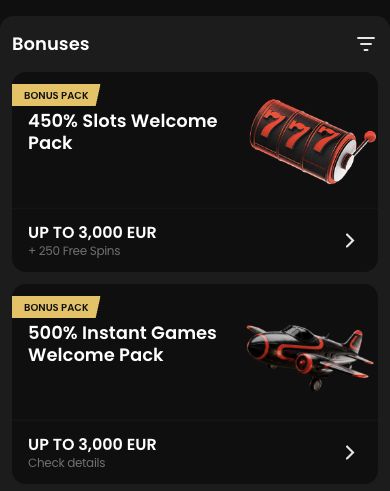
Zora's English promotion catalogue shows a slots package of up to €3,000 plus 250 free spins, presented as 450%, in the version checked for this review. On a phone, keep that headline separate from the account's activation steps. The package ceiling does not mean that every deposit immediately receives the full amount or all spins together.
The headline is a quick description of the package, while the account offer establishes the usable stage and conditions. A phone can make the large amount easy to see and the detail easy to miss. Before acting, identify whether the card describes the whole welcome sequence or the reward for one qualifying deposit. Free spins are a separate allocation, not an addition that can automatically be treated as cash. Keep those distinctions visible in a short note while moving between Promo and the cashier.
Activate the intended category before funding
Open the slots offer rather than a neighbouring live, instant or sports promotion. The categories have separate rewards and should not be selected merely because the card artwork looks familiar. Read the eligibility and deposit instructions before entering the cashier. If a selection or activation is required, look for its actual confirmation.
Zora’s bonus-activation Help article dated 18 August 2026 directs users to complete personal details, open Promo and activate before depositing. It says a deposit without manual activation will not automatically credit the offer. The welcome-rules summary also presents the four welcome categories as alternatives, with only one selected. On a phone, return to the named offer after opening any neighbouring card and verify the actual activation confirmation. A familiar button colour or a previously viewed banner is not enough to establish which package the account accepted.
Check the selected offer in the compact view
On a narrow screen, expand the conditions and dismiss the keyboard before checking the final choice. A sticky button can remain visible while the offer name has scrolled away; return to the summary and verify that the selected reward is still the intended one. Also check the currency shown in the account, not just the review's headline.
Small screens can separate the heading from a fixed action button as the page scrolls. Before confirming, return to the summary and reread the offer name, currency and qualifying action. Close the keyboard if it covers the amount or confirmation text. If the screen has changed after returning from another app, verify the current selection again rather than tapping a remembered location. This short check prevents a navigation mistake from becoming a financial action linked to the wrong category or an unconfirmed campaign.
Follow the credited reward and its release schedule
After the qualifying action, inspect the promotion record and the balance or spin allocation. Identify any staged release, use deadline and game assignment from the terms attached to that account. Do not make another deposit solely because a later portion of a package has not appeared yet. The schedule, if any, needs to be read first.
After funding, distinguish the payment entry from the reward entry. The account should explain which stage has been credited and whether a spin allocation is available now or scheduled later under its terms. A later part of a package is not necessarily missing merely because it is absent immediately. Read the release and use windows before contacting support, and preserve the exact status. Do not use another payment or a paid spin as a test of whether the package will appear.
Keep the acceptance and payment connected
Keep the accepted offer name and transaction reference. If the phone screen does not show enough detail to explain a condition, open the full terms or ask support before continuing. Mobile convenience comes from completing the same checks in a smaller interface, not from skipping the conditions.
A useful record links the accepted campaign, activation time, qualifying transaction and resulting reward. If a condition is difficult to read in the phone layout, inspect the complete text before proceeding, using a larger view when necessary. The question for support should identify the missing stage or unclear term, not simply request a bigger bonus. Once the answer is received, compare it with the account entry. Mobile access can make navigation convenient, but the same eligibility and use conditions still need to be understood.